Depth of field
Lens blur, with a focus plane and an aperture, taken from the active camera.
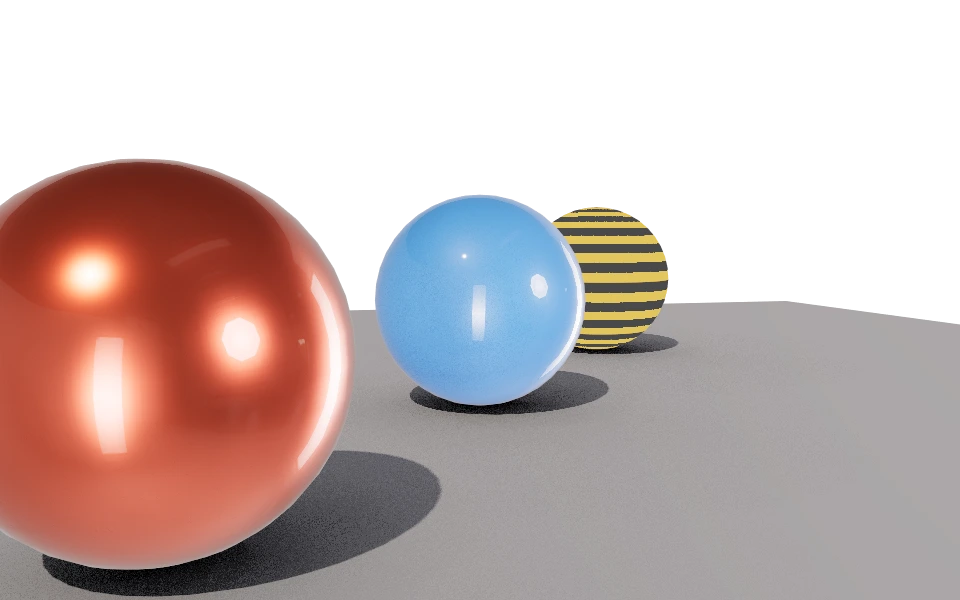
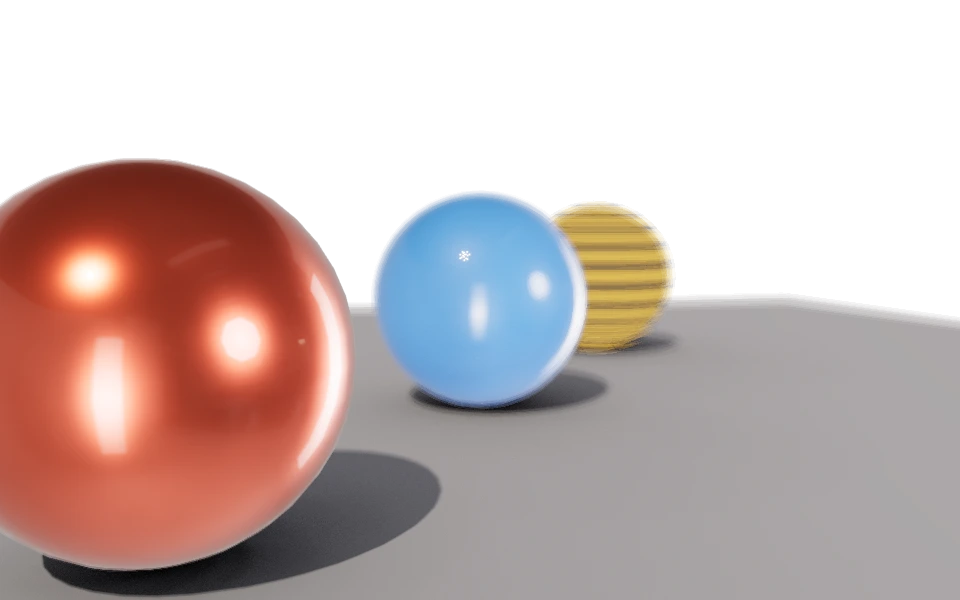
Depth of field trades the pinhole camera for a real lens. Only what sits at the focus distance comes out sharp; everything else spreads into a circle that grows wider the farther it is from the focus plane.
It is a property of the lens, so it lives on the camera, not in the render panel. Rendering uses the lens of the active camera; with no active camera, everything comes out sharp.
Controls
- Depth of field: Turns the lens on. With it off, everything is sharp from the foreground to infinity.
- Focus distance: The distance in meters between the camera and the plane that stays sharp. In the images above the focus is on the front sphere.
- F-stop: A low number is a wide lens, with little in focus; a high number closes the lens and brings the whole image back.
- Aperture blades: From 0 to 12. From 3 up the blades shape the blur of a point of light: with 6, a small out of focus highlight becomes a hexagon. Below that the aperture is round.
How to use it
Look through the camera and measure the distance in the project itself: use the distance to the main object as a starting point, adjusting until its edge is sharp. The focus plane shows up on the camera drawing in the viewport while depth of field is on.
The blur comes from the lens itself, not from a smudge applied at the end, so each sample sees the image through a different point of the lens. With few samples the blur looks dirty: when you turn depth of field on, raise Antialiasing samples on the quality page.